
10 Podcast Video Editing Tips to Master Like a Pro
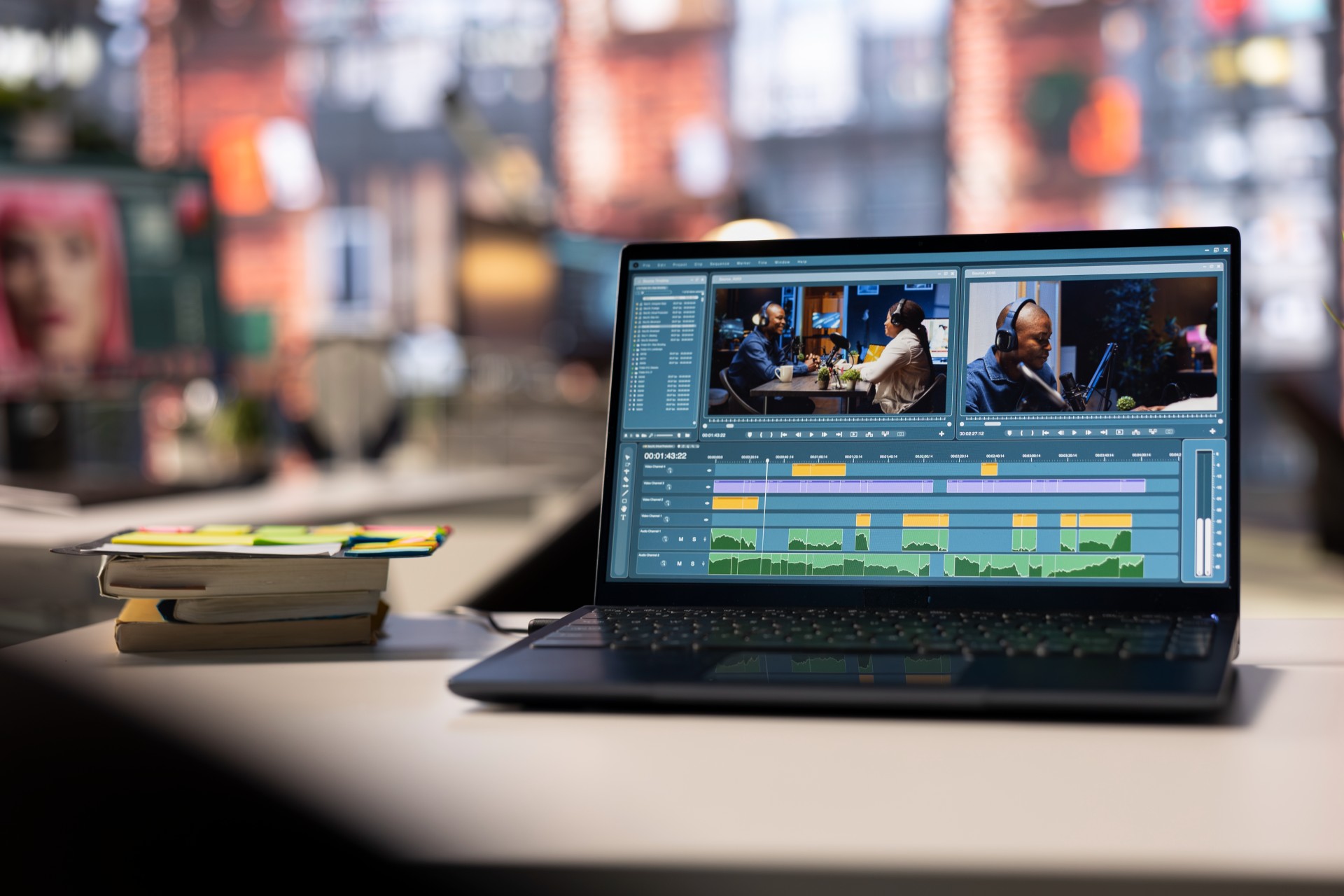
Video podcasting has moved from optional extra to essential format. Platforms reward video content with algorithmic reach that audio alone cannot access. Guests expect to be seen as well as heard. And audiences have come to associate production quality with content credibility in ways that make video editing skill a genuine competitive advantage for any serious podcaster.
But here is the reality that most beginner podcast video editors discover quickly: knowing which buttons to press in your editing software is not the same as knowing how to edit. The mechanical skills of cutting, trimming, and assembling footage can be learned in a weekend. The editorial judgment that makes a video podcast genuinely compelling to watch takes longer, requires deliberate practice, and depends on understanding principles that most editing tutorials never teach.
This post covers ten editing tips that address both the mechanical and the editorial dimensions of podcast video editing. Whether you are just starting out or you have been editing your own show for a while and want to understand why your edits are not quite landing the way you want them to, these principles will change how you approach the post-production process.
Why Podcast Video Editing Is a Distinct Skill Set
Before diving into the specific tips, it is worth acknowledging that podcast video editing is different from other forms of video editing in ways that matter for how you approach it.
A narrative film edit is built around scripted, planned visual sequences where every shot was designed to serve a specific function. A music video edit is driven by the rhythm and energy of the track. A podcast video edit is built from unscripted, unrepeatable conversation footage where the verbal content is the primary driver of every editorial decision.
This means that podcast video editing requires a particular kind of active listening that other editing disciplines do not. You are not just assessing what you see. You are understanding what is being said, why it matters, where it is going, and how the visual choices you make either serve or undermine the verbal content. The best podcast video editors are as good at understanding conversation as they are at operating their editing software.
Tip One: Always Cut for Meaning, Not for Motion
The most common mistake beginner podcast video editors make is treating every cut as a visual event rather than an editorial decision. They cut because a certain amount of time has passed, or because the host has finished speaking, or because they instinctively feel like something should change on screen.
Professional editing cuts for meaning. Every cut happens because something specific is accomplished by making it at that exact moment. A cut to a reaction shot when a guest says something surprising captures an emotional response that adds information to the scene. A cut away from the speaker to a graphic or B-roll when a specific concept is mentioned reinforces the verbal content with a visual complement. A cut that removes fifteen seconds of a speaker working toward a point that they eventually land cleanly serves the listener by delivering the point without the journey to it.
Before making any cut, ask what it accomplishes. If the answer is nothing beyond breaking up the visual monotony, reconsider whether the cut actually serves the episode or whether better pacing in the footage makes the cut unnecessary.
Tip Two: Learn to Listen Before You Look
The editing process for most beginner podcast video editors begins with the timeline: they import the footage, start watching, and begin making decisions based on what they see and hear simultaneously. Professional podcast editors often work differently.
Before touching the timeline, listen through the raw recording as audio only, without watching the footage. This listening pass allows you to assess the structure and flow of the conversation purely on the basis of its verbal content, without the distraction of visual information that can pull your attention away from the editorial substance.
During this listen-through, note the moments that work and the moments that do not. Identify the passages that deliver genuine value, the sections where the conversation loses momentum, the tangents that distract from the episode's core purpose, and the moments that have strong potential as social media clips. This audio-first editorial assessment is the foundation on which all subsequent visual editing decisions are built.
When you return to the timeline with this editorial map in your head, you are making visual decisions in service of a content structure that you have already assessed and understood. This sequence produces better editorial decisions and more efficient editing workflows than the common approach of trying to assess content and make visual choices simultaneously.
Tip Three: Establish Your Sync Before Anything Else
For podcast recordings that capture audio and video on separate devices, establishing a clean audio-video sync before beginning any editorial work is the most important technical step in the editing process. Editing a podcast with drifting or improperly synced audio is one of the most frustrating experiences in post-production, and problems discovered late in the edit are exponentially more disruptive than those identified and corrected at the start.
Use a clapper board, a hand clap, or a sync signal at the beginning of each recording to create a clear reference point that can be used to align multiple audio and video tracks. Most professional editing software has auto-sync features that can align tracks based on this reference audio, but manually verifying the sync before beginning editorial work is always worth the few minutes it takes.
For podcast recordings where audio is captured directly into the camera, check sync at multiple points throughout the recording, not just at the beginning. Long recordings can experience sync drift due to differences in the sample rates of different recording devices, and catching this drift early prevents editorial problems that are difficult to fix late in the process.
For podcasters in Mumbai who want their recordings to arrive in post-production already properly captured and sync-ready, Fox Talkx Studio provides the professional recording infrastructure that eliminates these technical problems at source. Explore the studio's production services at https://www.foxtalkxstudio.com/services/podcast-editing-in-mumbai.
Tip Four: Use the J-Cut and L-Cut to Create Flow
One of the clearest markers of professional video editing is the fluid, natural flow between cuts that makes viewing feel effortless rather than mechanical. Two specific editing techniques are responsible for much of this flow in well-edited video content: the J-cut and the L-cut.
A J-cut is an edit where the audio from the incoming clip begins before its video cuts in. The viewer hears the next speaker start talking before they see that person on screen. This technique eliminates the abruptness of a hard cut between speakers and creates a sense of natural conversational flow because, in real conversation, you often hear someone begin to respond before you turn to look at them.
An L-cut is the inverse: the video of the incoming clip cuts in before its audio begins. The viewer sees the next speaker before they hear them. This technique is useful for holding on a reaction shot that captures something visually important, or for cutting away from a speaker to relevant visual information while that speaker continues to be heard.
Both techniques create what editors call audio-video offset, and they are responsible for the feeling that a well-edited conversation flows naturally rather than feeling assembled from separate pieces. Practice using J-cuts and L-cuts deliberately and your edits will immediately feel more professional.
Tip Five: Master the Art of the Reaction Shot
Reaction shots are one of the most powerful tools in the podcast video editor's toolkit, and they are also one of the most commonly misused. The reaction shot is a cut away from the person speaking to show how someone else in the conversation is responding to what is being said. When used well, it adds an entire layer of meaning to the conversation. When used poorly, it becomes a meaningless visual habit that adds nothing and trains viewers to ignore it.
The key to effective reaction shot usage is selectivity and timing. A reaction shot earns its place when the reaction itself is visually significant: a guest's genuine surprise at something the host has said, a moment of laughter that signals shared understanding, a thoughtful look of concentration that shows the guest is genuinely processing a difficult question. These reactions add information that the audio alone does not carry.
A reaction shot does not earn its place when it is used simply to break up the visual monotony of a long shot of someone speaking, when the reaction is neutral and expressionless, or when the timing of the cut interrupts the verbal content rather than complementing it. Cut to reactions when the reaction matters. Stay on the speaker when what they are saying and how they are saying it is the most important information in the scene.
Tip Six: Handle Silence and Pauses Deliberately
Pauses are one of the most misunderstood elements of podcast audio and video. Beginning editors almost universally treat silences as problems to be eliminated, cutting them out reflexively whenever they appear. Professional editors understand that silence is a tool, not a flaw, and that the decision about whether to keep or remove a pause is an editorial one that depends on what the pause is doing in the conversation.
A pause before a significant statement gives that statement weight. It signals to the listener that something important is coming and creates a moment of anticipation that makes the following words land with more impact. Removing this pause eliminates its effect and reduces the impact of the statement it preceded.
A pause where a guest is visibly thinking through a difficult question communicates authenticity and genuine reflection. It shows a human being working through an idea rather than delivering a pre-packaged answer. This pause is content, and removing it removes something real from the episode.
A pause where a guest is simply gathering their thoughts after a verbal stumble, or where the conversation has momentarily lost its direction, is typically one that can be removed to improve the pacing of the episode without losing anything of value.
Learn to distinguish between these different kinds of silence. Develop the editorial judgment to know which pauses serve the episode and which do not. This distinction is one of the clearest markers of editing maturity.
Tip Seven: Color Grade Consistently Across Your Show
Color grading is the process of adjusting the color, contrast, and overall visual appearance of your video footage to create a consistent, intentional look. Many beginner podcast video editors skip color grading entirely, treating the raw footage from the camera as the final visual product. Professional editors understand that color grading is a fundamental part of the production process that significantly affects how the show is perceived.
A consistent color grade across all of your show's episodes creates a visual identity that viewers recognize immediately. It signals production sophistication and communicates that the show's visual presentation is intentional rather than accidental. And it makes the show look more expensive and more professional than the raw camera footage, regardless of the camera used to shoot it.
Start with a basic correction pass that normalizes the exposure and white balance of your footage, ensuring that skin tones look natural and consistent across all cameras and all recording sessions. Then apply a consistent color look, whether that is a warm, intimate feel for a conversational show or a cooler, more clinical look for a professional or technical podcast, that reflects the show's brand identity and maintains that look across every episode.
Most professional editing applications include color grading tools that are capable of producing sophisticated results without requiring a specialist colorist. Investing time in learning the basics of color correction and grading will have an immediately visible impact on the professional quality of your show's visual presentation.
For podcasters who want their video content to be color graded to a professional standard as part of a complete post-production service, Fox Talkx Studio offers podcast editing services in Mumbai that address every dimension of the finished episode. Explore what professional post-production looks like at https://www.foxtalkxstudio.com/services/podcast-editing-in-mumbai.
Tip Eight: Design and Animate Your Lower Thirds Professionally
Lower thirds are the text graphics that appear in the lower portion of the screen to identify speakers, display key information, or highlight important points. In podcast video editing, lower thirds are typically used to introduce the host and guest at the beginning of the episode and to provide relevant context during the conversation.
Many beginning podcast editors use the default text tools in their editing software to create lower thirds, resulting in graphics that look generic and undesigned. Professional lower thirds are designed to complement the show's visual brand identity: they use consistent typography, color palette, and animation style that makes them feel like an integrated part of the show's visual language rather than an afterthought.
Invest time in designing lower thirds that reflect your show's brand. Consider using motion graphics templates, available in most professional editing applications and from third-party sources, that provide a polished starting point that can be customized for your specific visual identity. Consistent, professionally designed lower thirds contribute significantly to the overall impression of production quality that viewers form within the first minute of an episode.
The animation of lower thirds also matters. Graphics that animate in and out smoothly and deliberately feel professional. Graphics that pop on and off screen abruptly or that use excessive animation feel amateurish. Less is more in lower third animation: a simple, clean slide or fade creates a more professional impression than elaborate motion effects that draw attention to themselves.
Tip Nine: Create a Consistent Export and Delivery Workflow
The final stages of the podcast video editing process, exporting and delivering the finished episode, are where many beginning editors make decisions that undermine the quality of the work done in the edit. Understanding the technical requirements of different platforms and establishing a consistent export workflow that meets those requirements is an essential part of professional video podcast production.
Different platforms have different specifications for video file format, resolution, frame rate, bitrate, and audio format. YouTube has specific recommendations for upload quality. Spotify's video podcast requirements differ from those of other platforms. Social media platforms like Instagram and LinkedIn have their own specifications for video content that differ from long-form episode delivery formats.
Establish a master export specification for each platform your show is distributed on, and create export presets in your editing software that match those specifications. This eliminates the need to recalculate export settings for each episode and ensures that every episode is delivered at the optimal quality for each platform.
Also establish a file naming and archiving system for your project files and exports. A clear, consistent naming convention and organized archive allows you to locate any element of any previous episode quickly, which becomes invaluable when you need to maintain consistency across a long-running show or when a technical issue requires you to return to a previous project.
Tip Ten: Develop the Habit of Watching Your Edit Before Exporting
The most consistently impactful habit that separates professional editors from amateur ones has nothing to do with technical skill. It is the discipline of watching the complete edit through from beginning to end before exporting, with the mindset of a viewer rather than an editor.
When you are working on an edit, you are necessarily close to the material. You have heard every moment of the recording multiple times. You know what is coming next. You have made deliberate decisions about every edit point. This familiarity is an essential part of the editing process, but it also creates a blindness to how the finished episode will land for someone encountering it fresh.
Watching your edit from beginning to end as a viewer, ideally after a gap of at least a few hours since you last worked on it, reveals problems that the editorial mindset misses. Pacing issues that felt acceptable during the edit feel obvious during a full viewing. Moments that you judged to be worth keeping feel self-indulgent when experienced in the context of the full episode. Audio inconsistencies that you normalized after hearing them repeatedly during the edit are immediately jarring when heard in context.
Build the habit of always doing a full viewing pass before export. Take notes rather than making changes on the fly. Then return to the edit and address the issues your viewing identified before producing the final export. This habit alone will improve the quality of your finished episodes more than any specific technical skill.
For content creators and podcast producers in Mumbai who want the benefit of a professional editor's fresh perspective on their episodes rather than the limitations of self-editing, Fox Talkx Studio provides expert podcast video editing services that bring genuine editorial intelligence to every episode. The team approaches each edit with the viewer's mindset from the first pass, ensuring that the finished episode lands the way the content deserves. Discover the full editing service offering at https://www.foxtalkxstudio.com/services/podcast-editing-in-mumbai.
The Bottom Line
Mastering podcast video editing is a process that rewards deliberate practice, honest self-assessment, and a genuine commitment to understanding the principles behind the technical decisions. The ten tips covered in this post address both the foundational technical skills and the editorial judgment that together define professional podcast video editing.
Cut for meaning rather than motion. Listen before you look. Sync your audio precisely and early. Use J-cuts and L-cuts to create flow. Deploy reaction shots with selectivity and purpose. Handle silence as an editorial tool rather than a problem. Color grade consistently across your show. Design lower thirds that reflect your brand. Establish a rigorous export and delivery workflow. And always watch your edit as a viewer before you call it done.
Each of these principles, applied consistently, will move your editing from competent to genuinely compelling. Together they create the professional standard that turns a podcast viewer into a subscriber and a subscriber into a loyal advocate for your show.
For podcasters in Mumbai who are ready to take their video editing to a professional standard or who want to hand the process to an expert team while they focus on creating great content, Fox Talkx Studio is the production partner built for exactly this. Visit https://www.foxtalkxstudio.com/services/podcast-editing-in-mumbai to explore the full range of podcast video editing services and take the next step toward episodes that look and sound as good as the conversations they capture