
How to Add Music to a Video: Everything Content Creators Need to Know
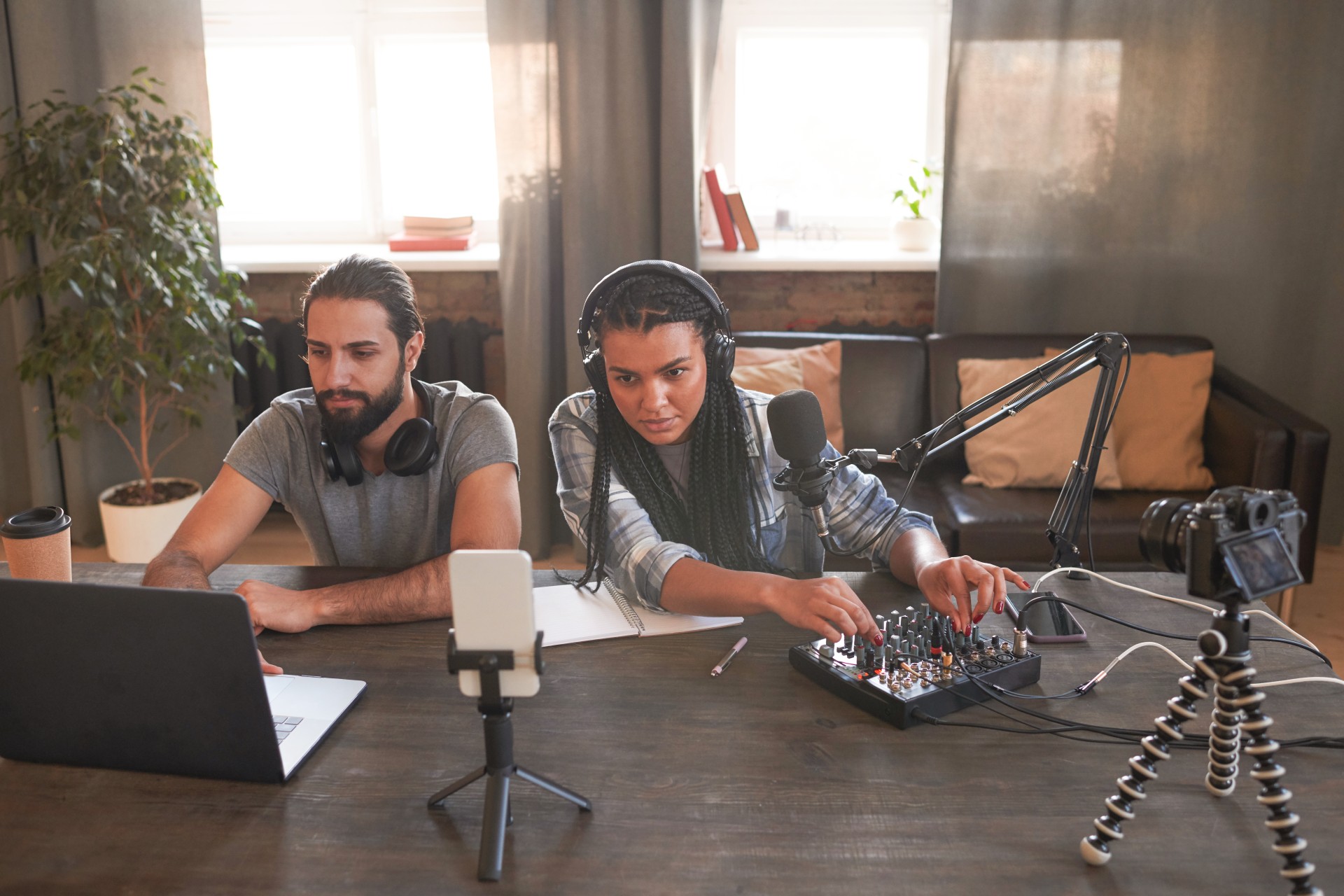
Music transforms video. It is not a decoration or an optional enhancement. When chosen correctly and integrated with editorial intelligence, music shapes the emotional experience of every viewer from the first frame to the last. It creates mood before a word is spoken. It marks the transitions between sections with felt significance. It signals the production quality of the show in the first few seconds of the episode. And it carries the viewer through passages of the content that might otherwise feel flat or disconnected.
Despite this importance, music is also one of the most commonly mishandled elements in podcast and video production. Music added at the wrong volume level that either drowns out the spoken content or is so quiet it is barely perceptible. Music that continues at full volume beneath spoken content rather than ducking appropriately. Music tracks selected without consideration for whether their energy and character match the show's identity. And music sourced from commercially released recordings without the appropriate license, creating copyright claims that can remove the content from distribution platforms or claim any associated revenue.
Each of these problems is avoidable with a clear understanding of how to add music to video correctly. This guide covers the complete process: where to find legally licensed music, how to select music that serves your specific content, the technical steps for adding music in professional editing applications, the level management principles that ensure music supports rather than competes with spoken content, and the legal requirements that protect your content from copyright claims.
Why Music Matters in Podcast and Video Content
Before examining the practical process of adding music, understanding specifically why music has such a significant effect on the viewer experience provides the foundation for making thoughtful music decisions rather than arbitrary ones.
Music and Emotional Priming
Music activates the brain's emotional processing centers more directly and more reliably than almost any other stimulus. The moment music begins playing, the listener's emotional state is influenced by the character of the music before they have consciously processed a single piece of verbal content from the video.
This emotional priming effect means that the music playing during a video's opening shapes the viewer's initial emotional orientation toward everything that follows. Upbeat, energetic music primes an alert, engaged emotional state that makes the viewer receptive to dynamic, enthusiastic content. Warm, measured music primes a reflective, attentive state that makes the viewer receptive to thoughtful, substantive conversation. Music that is mismatched to the content's emotional register creates a dissonance that the viewer feels without necessarily being able to articulate, undermining the intended emotional impact of the content.
Music as a Production Quality Signal
The quality and character of the music used in video content is one of the fastest and most reliable signals of overall production quality. Music from a high-quality licensed music library with professional production values communicates that the show is produced with care and investment. Generic, poorly produced music communicates the opposite. No music at all leaves the opening and closing of the episode without the production polish that music provides.
This production quality signal is disproportionately important at the beginning of each episode, because the first impression formed by a new viewer in the first thirty seconds determines whether they continue watching. Music is often the first element of the production that a new viewer encounters, making the music selection one of the most commercially significant production decisions a content creator makes.
Finding Legally Licensed Music for Your Videos
The single most important principle in adding music to video content is using music that is properly licensed for the specific use case. Using commercially released music without the appropriate synchronization license creates copyright claims that can result in the content being muted, removed from distribution platforms, or having any associated revenue claimed by the rights holders.
Understanding Why Commercial Music Is Not Available for Free Use
Commercial music released on Spotify, Apple Music, and other streaming platforms is licensed for personal listening only. The streaming license grants the listener the right to hear the music for personal enjoyment. It does not grant any right to use the music as a soundtrack in video content that is published, distributed, or monetized.
Using a commercially released song in a YouTube video, for example, will typically result in a Content ID match that either mutes the audio, blocks the video in certain countries, or claims any advertising revenue associated with the video on behalf of the rights holders. This applies even to brief use of the music and even when the music is used in the background rather than as the primary audio.
The appropriate license for using music in video content is a synchronization license, sometimes called a sync license, which grants the right to synchronize the music with video content for distribution. These licenses are negotiated individually with music publishers for commercially released music, which makes them expensive and impractical for most independent content creators.
Royalty-Free Music Libraries for Content Creators
Royalty-free music libraries provide the most practical solution for podcast and video creators who need properly licensed music at a reasonable cost. These libraries offer music licensed specifically for use in online video content, typically through a subscription model or a per-track purchase.
Artlist is one of the most widely used royalty-free music libraries for video content creators. Its annual subscription provides unlimited access to a library of professionally produced music with a license that covers YouTube, Instagram, LinkedIn, and most other online distribution platforms. The license includes commercial use, meaning that monetized content is also covered.
Musicbed is another widely used library with a strong catalog of high-quality music produced specifically for video content. Its licensing model and music quality are comparable to Artlist, with a subscription providing access to the full catalog for covered distribution contexts.
Epidemic Sound is popular particularly among YouTube creators and provides a catalog with broad genre coverage. Its licensing covers both personal and commercial use on the covered platforms.
Soundstripe, Soundtrack by Twitch, and Bensound are additional options with different catalog characteristics and pricing models that suit different content types and budget levels.
For podcast creators in Mumbai who want professional music selection and integration handled as part of a comprehensive post-production service, Fox Talkx Studio provides complete audio post-production with access to licensed music appropriate for podcast content. Explore professional podcast editing services at https://www.foxtalkxstudio.com/services/podcast-editing-in-mumbai.
Creative Commons Music
Creative Commons licensed music is available for use under specific conditions defined by the Creative Commons license applied to each track. Creative Commons licenses range from very permissive, allowing commercial use with only attribution required, to more restrictive, allowing non-commercial use only or prohibiting the creation of derivative works.
Before using any Creative Commons music, read the specific license terms of the individual track carefully rather than assuming that all Creative Commons music has the same conditions. Free Music Archive and ccMixter are two of the most established sources for Creative Commons licensed music.
Original Commissioned Music
Commissioning original music from a composer or music producer provides the most legally secure option and the most distinctive result, at a higher cost than licensed library music. Original music created for the show under a work-for-hire arrangement is owned by the creator rather than licensed from a third party, eliminating any ongoing licensing concerns.
For established shows where a distinctive sonic identity is a strategic priority, investing in original music that becomes recognizably associated with the show is a long-term brand investment rather than simply a production cost.
Selecting Music That Serves Your Content
With legally licensed music sources understood, the selection of specific tracks for the show is the creative decision that most directly affects the emotional quality of the content.
Matching Music Character to Show Identity
The music used in a podcast video should reflect the identity and character of the show itself. A business and entrepreneurship podcast with a professional, ambitious character is not served by lo-fi hip hop or acoustic folk music. A personal development and wellness podcast is not served by aggressive electronic music. The music should feel like it belongs to the same creative world as the show's content and host personality.
Before browsing music libraries, articulate the three to five words that best describe the emotional character and identity of your show. These words become the criteria for evaluating potential music tracks: does this track feel like it belongs in the same emotional space as those words? Tracks that clearly fit receive further consideration. Tracks that clearly do not fit are immediately set aside regardless of how much you enjoy them in other contexts.
Choosing Instrumental Over Vocal Music
For podcast video content where spoken audio is the primary content, instrumental music is almost always the correct choice for background and transition music. Music with lyrics creates a competition between two simultaneous language streams: the podcast conversation and the lyrics of the music. The brain cannot fully process both simultaneously and must choose which to prioritize, which means that either the podcast content or the music lyrics are being partially ignored.
Instrumental music provides emotional color and energy without competing with the spoken content for linguistic processing resources. Even very brief uses of vocal music during otherwise silent video sections, such as an episode intro before any speaking begins, can be appropriate, but vocal music beneath spoken content almost never is.
Tempo and Energy Matching
The tempo and energy level of the selected music should be appropriate for the energy level of the content it accompanies. Fast-tempo, high-energy music beneath slow, reflective conversation creates an energy mismatch that the viewer feels as a constant subtle friction. Slow, contemplative music beneath fast-paced, energetic dialogue creates a different but equally dissonant mismatch.
For most podcast conversation content, music in the moderate tempo range of seventy to one hundred beats per minute provides a sense of forward momentum without creating urgency that conflicts with the natural pace of conversation. For content that is deliberately high-energy, such as a debate-format show or a show covering exciting industry developments, faster tempos may be appropriate. For content that is deliberately reflective, such as a show exploring personal development or mental health topics, slower tempos may be more appropriate.
Adding Music to Video in Adobe Premiere Pro
The technical process for adding music to video in Adobe Premiere Pro is straightforward but benefits from understanding the specific tools available for controlling how music is integrated with the spoken content.
Importing Music Files and Adding to the Timeline
Import music files into Premiere Pro by selecting File and then Import, navigating to the location of the music files, and selecting the files to import. Audio files including MP3, WAV, and AIFF are all supported. Imported music files appear in the Project panel alongside the video footage files.
To add music to the video timeline, drag the music file from the Project panel to an empty audio track in the timeline below the video footage tracks. If no empty audio tracks are available, new audio tracks can be added by right-clicking in the track header area of the timeline and selecting Add Audio Track.
Position the music clip on the timeline by dragging it to the desired start position. For intro music that begins at the start of the episode, position the music clip at the beginning of the timeline. For music that begins at a specific point in the episode, such as a transition between sections, position the clip at the timecode where the music should begin.
Trimming Music to the Required Length
Most music tracks in royalty-free libraries are longer than the section of video they will accompany. Trim the music clip in the timeline to the required length by hovering over the right edge of the clip until the trim cursor appears, then dragging left to shorten the clip to the point where it should end.
For music that needs to end at a specific phrase boundary, use the application's audio waveform display to identify the phrase boundaries in the music and trim to a phrase boundary rather than to an arbitrary point in the track. Trimming at a phrase boundary allows the music to end with a natural musical resolution rather than at an unresolved point in a phrase.
Applying Volume Automation for Music Ducking
Music ducking is the technique of automatically reducing the music volume when spoken content is present, allowing the music to be audible in gaps and pauses while remaining below the spoken content during speech. This ducking is achieved in Premiere Pro using volume automation on the music track.
To apply volume automation, click the Show Keyframes button on the music track in the timeline to display the volume rubber band, which is the line that controls the volume of the track through time. Click on the volume rubber band to create keyframe points, then drag keyframe points downward to reduce the volume at specific sections.
For sections where spoken content is present, reduce the music volume to approximately fifteen to twenty decibels below its full level. For the brief gaps between sentences and the pauses between sections, allow the volume to return to its full level. The result is music that is audible in the gaps but recedes appropriately during speech.
The precise automation of music ducking in this way is more flexible and more precise than using automatic ducking effects, which apply fixed ducking ratios that may not be appropriate for all sections of the content. Manual volume automation allows the specific relationship between music and speech to be set precisely for each individual moment in the episode.
For podcast creators in Mumbai who want their music integration and all other audio post-production handled at a professional standard as part of a complete editing service, Fox Talkx Studio provides expert audio engineering that ensures music is correctly integrated at every point in every episode. Explore their comprehensive podcast editing services at https://www.foxtalkxstudio.com/services/podcast-editing-in-mumbai.
Adding Music to Video in DaVinci Resolve
DaVinci Resolve provides music integration tools through both the Edit page and the Fairlight audio page, with the Fairlight page offering the most comprehensive audio mixing capabilities.
Importing and Placing Music in DaVinci Resolve
Import music files into the DaVinci Resolve Media Pool by dragging files from a file browser into the Media Pool panel or by using the Media Import function. Music files appear in the Media Pool alongside the video footage files.
Drag the music file from the Media Pool to the timeline, placing it on an audio track below the video footage tracks. DaVinci Resolve's timeline supports multiple audio tracks at different heights and can display audio waveforms at an enlarged height for precise editing by dragging the track height divider upward.
Using the Fairlight Page for Music Mixing
The Fairlight page in DaVinci Resolve provides a dedicated audio mixing environment with channel strip controls, EQ, dynamics processing, and full automation capabilities for each audio track. For podcast audio post-production that includes both voice tracks and music tracks, the Fairlight page provides the most comprehensive tools for achieving a professional mix.
In the Fairlight page, the volume fader for each track controls the overall level of that track in the mix. Volume automation on the music track allows precise frame-accurate control over the music level at every point in the timeline, enabling the detailed ducking automation that professional music integration requires.
Adding Music to Video in CapCut for Quick Results
For content creators who need to add music to shorter video clips quickly, CapCut provides a streamlined music addition workflow on both mobile and desktop.
In CapCut, with a video project open, tap or click the Audio option in the toolbar at the bottom of the interface to access music addition options. The Sounds option opens the CapCut music library where tracks can be browsed by genre, mood, and other categories. A selection of the track and then the Add to Timeline button places the music on the timeline beneath the video.
CapCut's Auto Captions and Smart Music features provide automated matching of music to video content based on AI analysis of the video's pacing and mood, which can be a useful starting point for music selection though the results should always be reviewed and adjusted manually.
Setting Music Levels for Podcast and Video Content
The specific level at which music is set relative to spoken content is one of the most important technical decisions in music integration. Incorrect levels, whether too high or too low, undermine the function of the music and create listener discomfort.
Music Level During Intro and Outro Sections
During intro and outro sequences where no spoken content is present, music should be set at its full intended level. This is the level at which the music makes its fullest emotional impression, establishes the show's sonic identity most clearly, and signals production quality most effectively.
The appropriate full level for podcast intro music, measured as the track's average level, is typically around negative eighteen to negative twenty LUFS when the final mix is normalized to the podcast loudness standard of negative sixteen LUFS integrated. This leaves sufficient headroom for the spoken content to sit comfortably above the music level in the mixed output.
Music Level Beneath Spoken Content
Beneath spoken content, music should be reduced to a level that the viewer can hear but does not consciously attend to. The music should be felt rather than listened to, providing emotional color and energy to the spoken content without competing with it for the listener's attention.
A general starting point for music level beneath speech is to set the music at approximately fifteen to twenty decibels below the level of the spoken content. At this level, the music is clearly present but does not interfere with the comprehension of the speech. Adjustments above or below this starting point should be made based on listening to the mix at a representative playback volume level, simulating the conditions in which the audience will encounter the content.
Testing the Mix on Multiple Playback Systems
The perceived relationship between music and speech levels varies significantly across different playback systems. A mix that sounds correctly balanced on professional headphones may have the music too prominent on laptop speakers where the bass frequencies of the speech are reduced, making the music relatively more prominent. Testing the final mix on at least three different playback systems, including headphones, laptop speakers, and a phone speaker, ensures that the mix is appropriate across the full range of contexts in which the audience will listen.
Key Takeaways
Adding music to video is a creative and technical process that requires legally licensed music from appropriate sources, thoughtful music selection based on the show's emotional identity and the specific section's content, technically correct integration in the editing application with appropriate level automation for ducking beneath spoken content, and testing across multiple playback systems to confirm that the mix is appropriate across the audience's range of listening contexts.
The legal dimension of music licensing is the most important foundation. All music used in published video content must be properly licensed for that use, and commercially released music from streaming platforms is not licensed for video use without a specific synchronization license.
The creative dimension of music selection is the most impactful for the show's audience experience. Music that matches the show's character, energy, and emotional register builds the sonic identity of the show and primes the viewer's emotional engagement with every episode's content.
The technical dimension of music integration, including precise volume automation for ducking beneath speech and appropriate level setting for intro and outro sections, is what separates music that supports the content from music that distracts from or competes with it.
For podcast video creators and content producers in Mumbai who want their music integration and complete audio post-production handled at a professional broadcast standard, Fox Talkx Studio provides the expertise and technical infrastructure to deliver perfectly integrated music in every episode. Visit https://www.foxtalkxstudio.com/services/podcast-editing-in-mumbai to discover what professional podcast audio and video editing looks like for your show.