
How to Create a Multi-Camera Podcast Setup on Any Budget
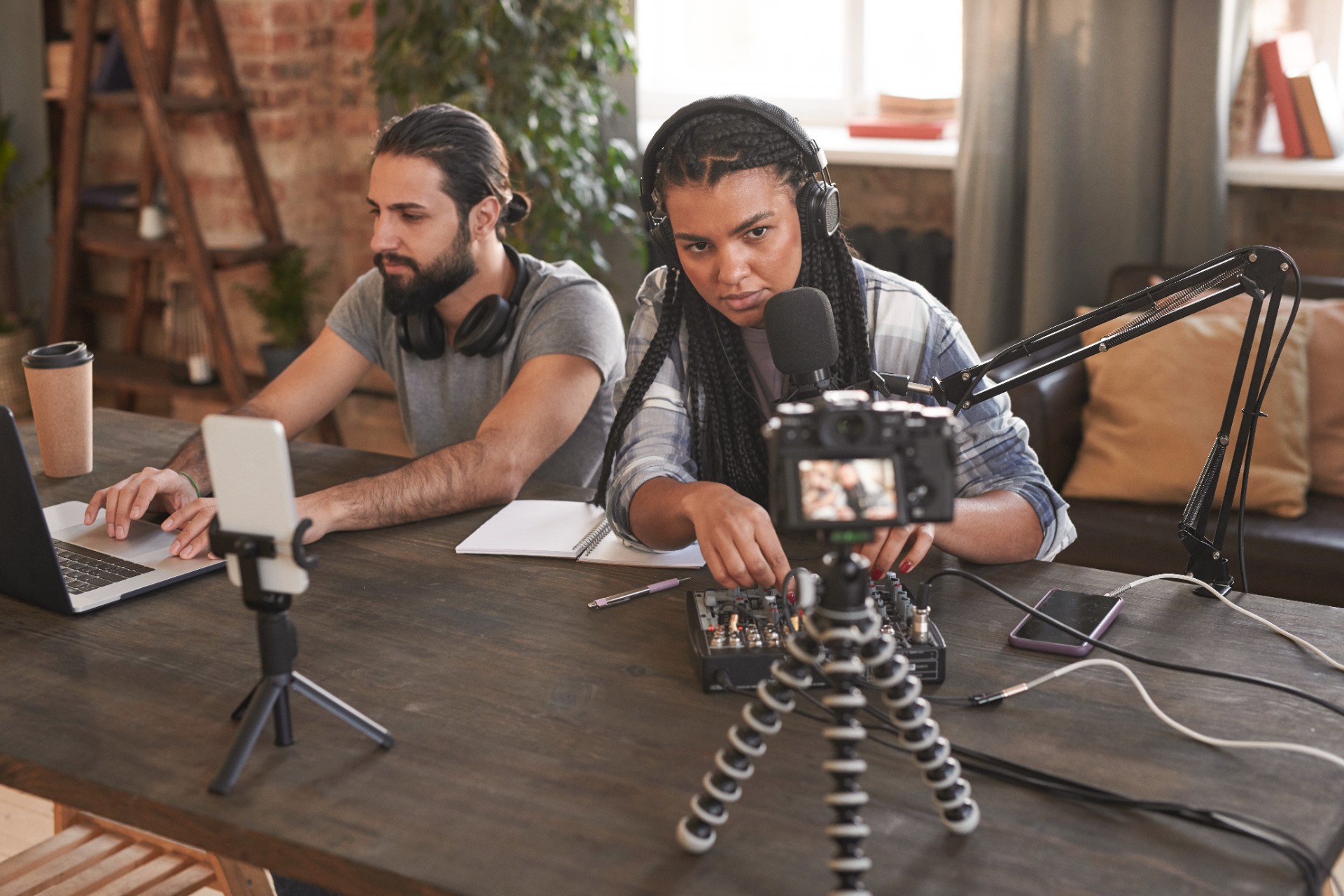
The visual quality gap between single-camera and multi-camera podcast video is one of the most immediately visible quality differences in the medium. A single-camera podcast recording, regardless of how good that camera is, produces a video that cuts between one fixed angle and one fixed angle, limiting the editorial options available to the editor and producing a finished video that lacks the visual dynamism that keeps YouTube and social media audiences engaged through extended conversations.
A multi-camera setup changes the editorial equation entirely. Multiple simultaneous camera angles provide the visual variety that makes long-form conversational content genuinely watchable as video rather than simply audible as audio. The cut to a wide shot when both speakers are engaged. The cut to a tight shot when one speaker delivers a key insight. The cut to a reaction shot when the other speaker's response is editorially significant. These visual options transform the editing possibilities and the viewer's experience in ways that no amount of improvement to a single-camera setup can achieve.
The most common reason podcast creators do not build a multi-camera setup is the assumption that it requires a level of investment that is beyond their current budget. This assumption is understandable but increasingly inaccurate. The declining cost of capable camera hardware, the growing availability of affordable multi-camera switching and recording solutions, and the creative flexibility available when building from any starting budget have made multi-camera podcast video production accessible at price points that would have been unachievable five years ago.
This guide covers multi-camera podcast setup configurations at every budget level: what is achievable at each price point, the specific equipment that delivers the best results within each budget, the technical considerations that determine which cameras can work together effectively, and the workflow decisions that make multi-camera production manageable rather than overwhelming.
The Core Components of Any Multi-Camera Setup
Before examining specific budget configurations, understanding the core components that every multi-camera setup requires creates the framework for evaluating and selecting equipment at any price point.
Cameras
The cameras are the most visible component of the multi-camera setup and the component that most directly determines the visual quality of the recorded footage. A multi-camera setup requires a minimum of two cameras, with three cameras being the standard configuration for a two-person podcast and four or more cameras being appropriate for shows with three or more participants.
The cameras in a multi-camera setup do not need to be identical, but they need to produce footage that can be matched to a consistent visual character in color grading. Cameras from the same manufacturer with similar sensor sizes and similar color science are easier to match than cameras from different manufacturers with very different sensor characteristics.
Recording and Switching
The recording of multiple simultaneous camera outputs requires either a dedicated recording device for each camera or a video switcher or multi-camera recorder that accepts multiple simultaneous inputs. For budget setups, recording each camera to its own storage card is the most common approach. For more advanced setups, a video switcher or hardware multi-camera recorder provides simultaneous synchronized recording of all inputs.
Software solutions including OBS Studio can serve as a software video switcher that captures multiple camera inputs simultaneously through USB or capture cards, providing a low-cost multi-camera recording solution for budget-conscious creators.
Audio
Multi-camera video is only half of the production equation. Professional audio recording, with dedicated microphones for each participant, is equally important for producing a finished episode that meets professional quality standards. The audio setup for a multi-camera podcast follows the same principles regardless of the camera budget: each participant should have their own dedicated microphone, each microphone should be recorded to its own track, and the audio should be recorded at a professional quality level.
Lighting
The lighting setup for a multi-camera podcast must illuminate the subjects appropriately from every camera angle simultaneously. A lighting setup designed for a single camera angle may create unflattering shadow patterns when additional cameras are added that capture the scene from different angles.
Three-point lighting with a key light, fill light, and back light is the standard starting configuration for multi-camera podcast lighting because it creates flattering, consistent illumination of the subject from multiple angles without creating strong directional shadows that look problematic from off-axis camera positions.
Budget Level One: The Entry-Level Multi-Camera Setup
At the entry level, a functional two or three camera multi-camera setup is achievable using consumer-grade cameras and minimal additional equipment.
Smartphone Cameras as Entry-Level Podcast Cameras
Modern smartphones produce video quality that was the province of professional cinema cameras as recently as a decade ago. The cameras in current generation flagship smartphones from Apple, Samsung, and Google capture in high resolution at high frame rates with excellent dynamic range and natural color science that creates appealing, watchable video.
For entry-level multi-camera podcast setups, using two or three smartphones as cameras provides immediately achievable multi-angle coverage at a cost of only the mounting hardware required to position them correctly. If the creator already owns two or three capable smartphones, the incremental cost of the camera component of the setup is the cost of the mounting hardware alone.
The specific technical requirements for using smartphones as podcast cameras are consistent quality settings across all devices: the same resolution, the same frame rate, and importantly, the same frame rate expressed as a constant rather than variable frame rate. Variable frame rate recording, which is the default on many smartphone camera applications, creates synchronization problems in multi-camera editing that constant frame rate recording prevents.
Third-party camera applications including Filmic Pro and Blackmagic Camera for iOS provide the professional camera controls needed for consistent multi-camera smartphone recording, including manual white balance, constant frame rate recording, and manual exposure lock that prevents the automatic exposure adjustments that create inconsistent footage between cameras.
Entry-Level Webcams for Seated Podcast Formats
For seated podcast formats where the camera-to-subject distance is short and the subjects remain in consistent positions throughout the recording, high-quality webcams including the Logitech Brio and similar models provide a lower-cost alternative to smartphone cameras for one or two of the angles in a multi-camera setup.
Webcams offer the practical advantage of direct USB connection to the recording computer without requiring an additional capture card, and their fixed-focus optics eliminate the risk of autofocus hunting that can affect smartphone cameras during recording. Their image quality is lower than current smartphone cameras due to smaller sensor sizes, but for secondary angles in a multi-camera setup where the primary camera is a higher-quality smartphone or dedicated camera, webcams can provide usable footage at a fraction of the cost of additional dedicated cameras.
Entry-Level Recording: OBS Studio for Multi-Camera Capture
OBS Studio, the free open-source broadcasting and recording software, provides a complete software solution for capturing multiple camera inputs simultaneously on a single computer. With each camera connected to the computer through USB or through a USB capture card, OBS creates individual scenes for each camera angle and records all inputs simultaneously to separate files.
This OBS-based recording approach eliminates the need for a dedicated video switcher or hardware multi-camera recorder, making it the most cost-effective multi-camera recording solution available. The primary limitation is the processing demand it places on the recording computer, which must simultaneously capture and encode multiple high-resolution video streams.
For podcast creators in Mumbai who want a professional multi-camera recording environment without investing in personal equipment, Fox Talkx Studio provides fully equipped professional multi-camera podcast recording facilities. Explore the studio's setup and booking options at https://www.foxtalkxstudio.com/services/podcast-studio-setup-in-mumbai.
Budget Level Two: The Mid-Range Multi-Camera Setup
At the mid-range budget level, dedicated mirrorless cameras or higher-end consumer camcorders replace smartphones and webcams, providing significantly better image quality with more professional color science, better low-light performance, and greater manual control over all recording parameters.
Mirrorless Cameras as Mid-Range Podcast Cameras
Mirrorless cameras from manufacturers including Sony, Canon, Fujifilm, and Panasonic represent the most popular category of camera for mid-range podcast video production. Their combination of large sensors that produce natural background separation and excellent dynamic range, interchangeable lenses that allow different focal lengths for different angles, professional video recording modes with high bitrates and professional color profiles, and live HDMI or USB video output for monitoring and recording make them highly versatile and genuinely excellent podcast recording tools.
For a two-person podcast with two speakers, a three-camera mirrorless setup is the standard configuration at this budget level: one wide shot camera positioned to show both speakers simultaneously, and one tight shot camera dedicated to each speaker. This configuration provides the complete visual coverage needed to edit a fully dynamic video episode.
The choice of lens for each camera position affects the visual character of each angle significantly. A wider focal length for the wide shot preserves the perspective of both speakers in the frame without requiring the camera to be positioned inconveniently far from the recording table. A medium telephoto focal length for the individual speaker shots creates the natural background separation that makes podcast video look professional by allowing a shallow depth of field that softens the background relative to the speaker.
Mid-Range Audio: The XLR Microphone and Audio Interface Setup
At the mid-range budget level, the audio setup should also upgrade from USB microphones to XLR microphones with a dedicated audio interface. XLR microphones from manufacturers including Shure, Electro-Voice, and Rode, connected to professional audio interfaces from manufacturers including Focusrite, Universal Audio, and PreSonus, provide broadcast-quality audio capture that represents a significant improvement over USB microphone recordings.
For a two-person podcast, a two-channel audio interface with two XLR inputs records each participant on a separate input channel, providing the independent track control in post-production that professional audio editing requires.
Mid-Range Recording: HDMI Capture Cards for Computer Recording
At the mid-range budget level, HDMI capture cards including models from Blackmagic Design and Elgato allow mirrorless cameras to output their video signals to a recording computer as high-quality video streams, providing a higher-quality recording input than USB connections alone.
For a three-camera setup, three separate capture card inputs or a multi-channel capture device accepts all three camera outputs simultaneously and records them as separate streams in OBS Studio or other recording software. This configuration provides full professional-quality recording of all three camera angles simultaneously on a single computer.
Budget Level Three: The Professional Multi-Camera Setup
At the professional level, cinema-grade cameras, professional lighting, dedicated video switchers or hardware recorders, and professional audio recording infrastructure combine to create a setup that produces the broadcast-quality results that distinguish professional studio recordings from home productions.
Professional Cameras for Broadcast-Quality Podcast Video
Professional podcast studio cameras include Sony FX series cinema cameras, Blackmagic Design Pocket Cinema Cameras, and Canon Cinema EOS cameras that provide the sensor quality, dynamic range, color science, and recording specifications that broadcast production requires.
These cameras record in professional formats including ProRes and RAW that capture the maximum image information for post-production flexibility, provide professional XLR audio inputs for direct microphone recording, and output clean HDMI or SDI signals for switcher and recorder input.
For a professional three or four camera podcast setup, configuring each camera with a prime lens at the focal length appropriate for its specific angle, mounting each camera on a professional fluid head tripod for rock-solid stability, and connecting each camera to the recording system through professional signal cabling creates a recording infrastructure that is genuinely comparable to broadcast television production.
The Blackmagic ATEM Mini Series for Professional Multi-Camera Switching
The Blackmagic ATEM Mini series of hardware video switchers provides professional multi-camera switching and recording capabilities at a price point that makes professional production infrastructure accessible to independent creators. These devices accept multiple simultaneous HDMI inputs, allow the operator to cut between camera angles in real time, and record the switched output and individual camera ISO recordings simultaneously to USB storage.
The ATEM Mini Pro ISO model in particular is an excellent professional podcast recording solution because it records each camera's input independently alongside the switched program output, providing the full footage archive that post-production editing requires while also providing a real-time switched reference recording.
Professional Lighting for Multi-Camera Setups
Professional podcast studio lighting for multi-camera setups requires careful positioning to create consistent, flattering illumination from every camera angle without creating strong directional shadows that look problematic from off-axis cameras.
Professional LED panel fixtures from manufacturers including Aputure, ARRI, and Litepanel provide the controllable, consistent output that professional lighting for multi-camera production requires. Panels with adjustable color temperature allow the lighting to be precisely matched across all fixtures, ensuring consistent visual character regardless of which camera angle is displayed.
For a two-person seated podcast setup, a lighting configuration that places key lights for each speaker from the direction that each speaker's individual camera approaches from, with a shared fill light reducing the overall shadow level, creates professional-looking illumination that is consistent and flattering from both individual speaker camera angles and from the wide establishing shot.
Camera Positioning and Framing for Multi-Camera Podcast Video
Regardless of budget level, the physical positioning of each camera relative to the recording setup determines the visual quality of the footage and the editorial flexibility it provides in post-production.
The Wide Shot Position
The wide shot camera should be positioned far enough from the recording table to capture both speakers simultaneously in a framing that shows appropriate negative space around both subjects without excessive empty space that makes the frame feel poorly composed. For a standard two-person across-the-table or side-by-side podcast setup, the wide shot camera is typically positioned three to five meters from the subjects depending on the lens focal length used.
The height of the wide shot camera should place the frame's horizontal center approximately at the eye level of the seated speakers, which creates the most natural perspective for seated subjects. Camera positions that are significantly above or below eye level create strong perspective distortions that look unnatural for conversational content.
The Individual Speaker Shot Positions
The individual speaker cameras should be positioned at angles that create interesting, slightly off-center framing of each speaker rather than direct frontal shots. Positioning each speaker camera at approximately fifteen to thirty degrees off the speaker's direct eye line, from a direction that is roughly opposite to where the other speaker is seated, creates a natural eyeline relationship in the frame where the speaker appears to be looking slightly toward the other speaker rather than directly at the camera.
The height of each individual speaker camera should match the wide shot camera's height to ensure visual consistency when cutting between the wide shot and the individual shots. Cameras at different heights create unnatural visual discontinuities at every cut that are distracting to viewers.
The Depth of Field Consideration for Each Angle
The depth of field of each camera angle, the amount of the image that is in focus versus blurred, should be appropriate for the specific shot. The wide shot, which must show both speakers in focus simultaneously, requires a deeper depth of field than either individual speaker shot. The individual speaker shots benefit from the shallowest depth of field achievable with the available equipment, because the natural background blur creates the visual separation that makes podcast video look professionally produced.
Setting each individual speaker camera to the widest aperture that keeps the speaker's face in sharp focus, while the background environment blurs naturally behind them, creates the professional-looking depth of field effect that distinguishes quality podcast video from flat, everything-in-focus recordings.
For podcast creators and brands in Mumbai who want access to a professionally configured multi-camera studio without the investment of building and maintaining their own setup, Fox Talkx Studio provides the complete professional multi-camera recording infrastructure that delivers broadcast-quality results from every recording session. Visit https://www.foxtalkxstudio.com/services/podcast-studio-setup-in-mumbai to explore the studio's facilities and book your recording session.
Synchronizing Multiple Cameras for Post-Production
Regardless of which recording approach is used, multi-camera footage from separate cameras must be synchronized before editing can begin. Several synchronization approaches are available depending on the equipment and recording configuration.
Audio Waveform Synchronization
The most universally applicable synchronization method uses the audio waveform matching capability of professional editing applications to align multiple camera recordings based on the audio content they share. Since each camera records the ambient audio of the recording environment, all cameras capture the same audio events simultaneously, including speech, background sounds, and any deliberate sync reference events created at the beginning of the recording.
Adobe Premiere Pro's Synchronize function and DaVinci Resolve's Create New Multicam Clip function both analyze the audio waveforms of multiple clips and create synchronized sequences that align all camera angles at their matching audio content. This automated synchronization works reliably when all cameras are recording audio that contains the same shared acoustic environment.
Clapper Board or Hand Clap Synchronization
For recording setups where the cameras' built-in microphones do not provide sufficient audio similarity for automatic waveform synchronization, performing a sharp hand clap or using a clapper board at the beginning of the recording creates a definitive audio reference event visible as a sharp transient spike in every camera's audio waveform. Manual synchronization of this event across all cameras provides reliable frame-accurate alignment.
Timecode Synchronization for Professional Setups
For professional multi-camera setups where frame-accurate synchronization is essential and where the recording duration is long enough that audio waveform drift between cameras is a potential problem, dedicated timecode synchronization hardware distributes a common timecode reference to all recording devices simultaneously, ensuring that every camera records the same timecode data for reference in post-production synchronization.
Key Takeaways
A multi-camera podcast setup is achievable at every budget level, from entry-level smartphone and webcam configurations through mid-range mirrorless camera setups to professional cinema camera installations. The investment required at each level reflects the image quality, workflow efficiency, and production professionalism that each level delivers.
The core components that every multi-camera setup requires are the cameras themselves, a recording solution that captures all cameras simultaneously on independent tracks, professional audio recording with dedicated microphones for each participant, and appropriate lighting that is consistent and flattering from every camera angle.
Camera positioning should create a wide establishing shot at eye level showing both speakers, individual speaker shots at slightly off-axis angles matching the wide shot height, and depth of field settings that create professional-looking subject-background separation in each individual speaker shot.
Synchronization of multiple camera recordings is achieved through automatic audio waveform analysis in professional editing applications, deliberate hand clap or clapper board sync references, or dedicated timecode hardware for professional productions.
For podcast creators and brands in Mumbai who want the professional multi-camera setup experience without the investment in building their own, Fox Talkx Studio provides a fully equipped professional multi-camera recording environment with experienced technical support. Visit https://www.foxtalkxstudio.com/services/podcast-studio-setup-in-mumbai to explore the studio facilities and book your next multi-camera recording session.