
How to Sync Audio and Video Sources: A Complete Guide for Podcast and Video Creators
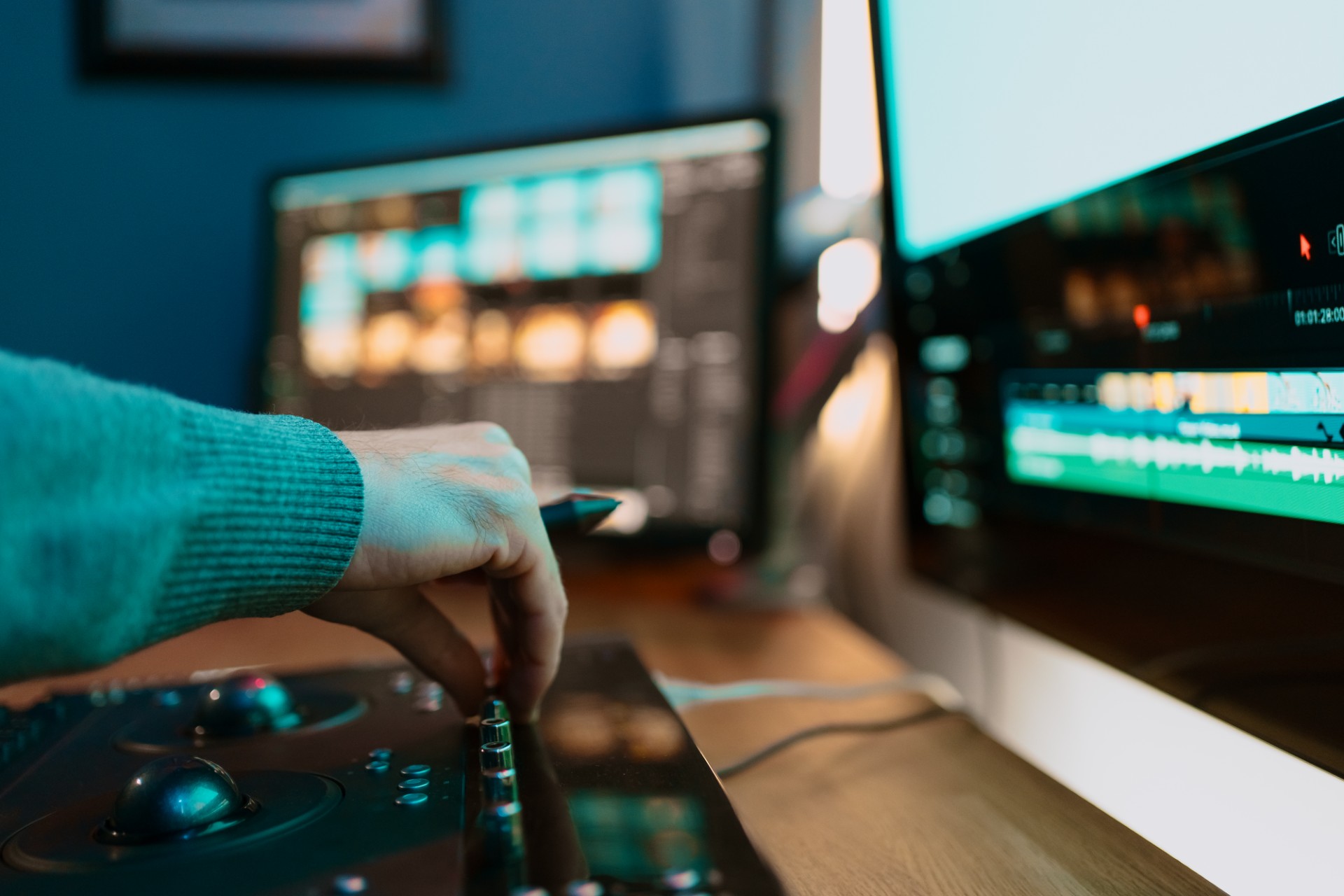
Audio-video synchronization is the foundational technical requirement of any video production that captures audio and video on separate devices. When audio and video are perfectly synchronized, the viewer's experience is completely immersive. The visual and audio information arrive in perfect alignment, the mouth movements match the words, the physical gestures correspond to the sounds they produce, and the overall experience of watching the video feels natural and effortless.
When audio and video are out of sync, even by a fraction of a second, the experience is immediately uncomfortable. The viewer's brain is continuously reconciling the mismatch between what the eyes see and what the ears hear, which is a cognitively demanding and psychologically uncomfortable experience. Research on audio-video synchronization tolerance shows that viewers begin to notice sync problems at offsets as small as forty to sixty milliseconds: less than one-tenth of a second out of sync is enough to create a perceivable problem.
For podcast video creators, the sync challenge arises in several specific production contexts. Multi-camera recordings where different cameras record their own audio tracks that may have slightly different timing relationships to the video. External microphone recordings where a dedicated audio recorder captures the audio separately from the video camera. Remote interview recordings where two participants are recorded independently and must be synchronized in post-production. And any production where audio was captured on a device other than the primary video camera.
This guide covers the complete approach to audio-video synchronization, from the techniques for creating accurate sync references during recording through the automated and manual sync methods available in major editing applications, to the troubleshooting approaches for the specific sync problems that occur most commonly in podcast video production.
Understanding Why Audio-Video Sync Problems Occur
Understanding the technical reasons why audio and video fall out of sync in the first place helps creators make better recording decisions and choose the most appropriate sync solutions for each specific situation.
Different Devices, Different Clocks
The most fundamental cause of audio-video sync problems is that different recording devices use different internal clocks to control the timing of their recordings. These clocks are not perfectly synchronized with each other, and even small differences in their rates accumulate over time to produce visible and audible sync drift.
A camera recording at exactly twenty-five frames per second and an audio recorder whose clock runs at a slightly different rate will be in perfect sync at the beginning of the recording and progressively further out of sync as the recording continues. The rate of drift depends on the difference between the two clocks, but even small differences, measured in parts per million, can produce sync drift of several frames over the course of a one-hour recording.
This drift-based sync problem is distinct from the offset-based sync problem where the audio and video start at different times due to the devices being started at different moments. Offset problems are fixed with a single sync correction that shifts the audio or video by a constant amount. Drift problems require the sync to be corrected at multiple points throughout the recording, with each correction addressing the accumulated drift since the previous correction point.
Variable Frame Rate and Its Effect on Sync
Variable frame rate recording, common in smartphone video and screen recording applications, creates a specific and particularly challenging type of sync problem. When video is recorded with a variable frame rate, the timing between frames changes throughout the recording rather than remaining constant. This variable timing creates a sync relationship between the audio and video that changes continuously rather than being constant, making a single sync offset correction insufficient to maintain sync throughout the full recording.
The solution to variable frame rate sync problems is to convert the variable frame rate video to constant frame rate before attempting synchronization. Tools including Handbrake, FFmpeg, and dedicated video conversion applications can convert variable frame rate footage to constant frame rate as a pre-editing step that makes the footage suitable for reliable synchronization.
The Remote Recording Sync Challenge
For remote podcast interviews where two participants are recorded independently in different locations, the sync challenge is managing two completely separate recordings that share no common clock reference beyond the real-time duration of the interview conversation. Each participant's recording begins at a different absolute time, continues at a rate determined by their individual device's clock, and contains the audio of only their side of the conversation.
Synchronizing these recordings requires finding common audio events that appear in both recordings, aligning the recordings at those events, and then monitoring for drift throughout the recording with corrections applied wherever drift becomes perceptible.
Methods for Creating Sync References During Recording
The easiest way to address sync problems is to create clear sync reference events during the recording session that make synchronization straightforward in post-production.
The Clapper Board: The Classic Professional Solution
The clapper board, or slate, is the traditional professional solution for audio-video synchronization. It provides a visual sync reference, the visible moment when the two halves of the clapper come together, and an audio sync reference, the sharp click produced by the impact, that are precisely simultaneous and clearly visible and audible in both the camera recording and the audio recorder recording.
By locating the frame in the video where the clapper closes and aligning the audio click to that exact frame in the editing application, the audio and video are synchronized to frame-accurate precision. This method works reliably regardless of which audio and video devices are used and provides a definitive sync reference that is easy to locate in both the video waveform display and the audio waveform display.
The clapper board also records production information including the scene, take, and date, providing additional organizational benefits for productions with multiple recording setups.
The Hand Clap: The Accessible Alternative
A sharp hand clap performed in front of the camera at the beginning of each recording session provides the same synchronization function as a clapper board without requiring specialized equipment. The clap produces a sharp, transient audio event that appears as a clearly identifiable spike in the audio waveform and a corresponding frame in the video footage where the hands come together.
The hand clap method is the most accessible sync reference solution and is appropriate for most podcast and content creator production contexts where a dedicated clapper board is not practical. For multi-camera recordings, performing the clap where it is visible to all cameras simultaneously ensures that a single clap creates a sync reference for all camera recordings.
The Acoustic Slate: Voice Identification and Clap Combined
An acoustic slate combines a verbal identification of the recording, including the session name, camera designation, and take number, with a hand clap at the end of the verbal identification. This combined approach provides both organizational information and a sync reference in a single brief action at the beginning of the recording.
NTP Synchronization and Dedicated Timecode Solutions
For professional productions with the highest synchronization accuracy requirements, dedicated timecode synchronization solutions distribute a common timecode reference to all recording devices, ensuring that every device records the same timecode data alongside the audio or video. When recordings from timecode-synchronized devices are imported into a compatible editing application, the timecode data allows automatic, frame-accurate synchronization without requiring any manual identification of sync reference events.
Timecode synchronization hardware ranges from broadcast-grade timecode generators and readers to consumer-accessible solutions like Tentacle Sync devices, which provide affordable Bluetooth-distributed timecode for small-format productions. For podcast video productions where reliable frame-accurate synchronization is a priority, a dedicated timecode solution eliminates the sync accuracy variability of clap-based methods.
For podcast video creators in Mumbai who want professional audio-video synchronization handled as part of a complete post-production service, Fox Talkx Studio provides expert multi-source sync management for every episode they produce. Explore professional podcast video editing services at https://www.foxtalkxstudio.com/services/podcast-editing-in-mumbai.
Automatic Audio-Video Synchronization in Editing Applications
Modern professional editing applications provide automatic synchronization tools that can analyze the audio content of multiple recordings and align them based on waveform matching, without requiring manual identification of sync reference points.
Auto-Sync in Adobe Premiere Pro
Adobe Premiere Pro's synchronize function, accessible through the right-click context menu when multiple clips are selected in the Project panel or the timeline, provides automatic synchronization based on audio waveform analysis.
To use automatic synchronization in Premiere Pro, select all the clips to be synchronized in the Project panel, right-click on the selection, and choose Synchronize from the context menu. In the Synchronize dialog, select Audio as the synchronization method and choose the specific audio track or channel to use as the sync reference.
Premiere Pro analyzes the audio waveforms of all selected clips, identifies common audio content, and creates a synchronized sequence where all clips are aligned at their common audio content. This method works best when all clips contain audio with significant common content: an interview where both the host's and guest's recordings contain the sounds of both participants in the conversation provides clear common audio content for waveform matching.
When the common audio content between clips is limited, such as when a video camera's built-in microphone recording is being used as the sync reference for external audio that does not share as much content, the automatic sync may be less reliable and manual verification is more important.
Multi-Camera Sync in DaVinci Resolve
DaVinci Resolve provides multi-camera synchronization through the Create New Multicam Clip function in the Media Pool. Selecting multiple clips in the Media Pool, right-clicking and choosing Create New Multicam Clip Using Selected Clips, opens the multicam creation dialog where the synchronization method can be specified.
The Sound synchronization option in DaVinci Resolve's multicam dialog analyzes the audio waveforms of all selected clips and aligns them at their common audio content, creating a synchronized multicam clip that displays all camera angles simultaneously. This waveform-based synchronization is generally reliable for podcast video recordings where all clips contain audio of the same interview conversation.
The Timecode synchronization option in the same dialog uses embedded timecode data for synchronization, providing frame-accurate results when timecode was recorded on all devices during the production.
DaVinci Resolve also provides the Auto Sync Audio function in the Media Pool, accessible through the right-click context menu when two or more clips are selected, which synchronizes audio recordings to video clips based on waveform analysis. This function is specifically designed for the common scenario where external microphone audio needs to be synchronized to camera-recorded video.
Synchronization in Final Cut Pro
Final Cut Pro's synchronization tools are accessed through the Synchronize Clips function in the Clip menu or through the right-click context menu when multiple clips are selected. The Synchronize Clips dialog allows synchronization based on audio analysis or timecode, with the audio waveform analysis option providing reliable synchronization for podcast recordings without timecode.
Final Cut Pro creates a new compound clip from the synchronized sources, with all clips aligned at their common audio content. The synchronized compound clip can then be used in the primary edit as a single multilayer clip whose different angles are accessible through the Angle Viewer.
Manual Audio-Video Synchronization: The Step-by-Step Process
When automatic synchronization tools do not produce accurate results, or when the recordings do not contain sufficient common audio content for reliable waveform matching, manual synchronization using the visible and audible sync reference events created during recording provides the most reliable approach.
Step One: Identify the Sync Reference Event
The first step of manual synchronization is locating the sync reference event in each recording. For recordings made with a clapper board or hand clap, the sync reference is the sharp transient event in the audio waveform combined with the corresponding video frame showing the clapper or hands closing.
In the editing application's waveform display, the sync reference audio event appears as a narrow spike in the otherwise relatively continuous conversation waveform. This spike is clearly identifiable by its shape and amplitude relative to the surrounding audio content.
In the video footage, the sync reference frame is the specific frame where the clapper or hands are fully closed. For clapper board recordings, this is typically a clear and precisely identifiable frame. For hand clap recordings, identifying the exact frame may require stepping through the footage frame by frame at the moment of the clap.
Step Two: Align the Sync Reference Points
With the sync reference events identified in each recording, the manual synchronization process aligns those events at the same point in the editing timeline.
Place the first clip, typically the primary camera recording, in the timeline. Play to the sync reference point, pause at the exact frame, and note the timecode of that frame. Move the audio recording or the second camera recording to the timeline and scrub to its sync reference audio event. Drag the second recording so that its sync reference point aligns with the timecode noted from the first recording.
After this initial alignment, both recordings' sync reference events should be at the same timecode in the timeline, establishing a synchronized starting point for the edit.
Step Three: Verify Sync Accuracy Throughout the Recording
After establishing the initial sync alignment, verify that the sync is maintained throughout the full duration of the recording by checking the alignment at multiple points, not only at the sync reference point.
Move to a section of the recording approximately one-quarter of the way through the total duration and check that lip movements and speech are still in correct alignment. Repeat at the halfway point and at three-quarters through. If the sync remains accurate at all three check points, the synchronization is reliable throughout the recording.
If sync drift is detected at any check point, the drift must be corrected by splitting both recordings at the drift point and applying a new sync alignment offset to the section after the split.
For podcast video producers in Mumbai who want manual synchronization and all multi-source technical workflow management handled professionally as part of their post-production service, the technical team at Fox Talkx Studio manages every aspect of multi-source audio-video synchronization for every episode they produce. Discover what professional podcast video synchronization and editing looks like at https://www.foxtalkxstudio.com/services/podcast-editing-in-mumbai.
Troubleshooting Common Audio-Video Sync Problems
Even with careful recording practices and systematic synchronization workflows, specific sync problems arise that require targeted troubleshooting approaches.
Diagnosing Offset vs Drift Problems
The first step in troubleshooting any sync problem is diagnosing whether it is an offset problem or a drift problem, because each requires a different solution.
An offset problem is indicated by audio and video that are out of sync by a consistent amount throughout the recording. If the audio is always two frames ahead of the video from the beginning to the end of the recording, it is an offset problem. The solution is to shift the audio by exactly two frames relative to the video, at which point the sync should be correct throughout the full recording.
A drift problem is indicated by audio and video that are in correct sync at the beginning of the recording but progressively more out of sync as the recording continues. The drift may be in the audio, the video, or both depending on the recording devices involved. The solution is to apply a time stretch to one of the recordings, or to split the recording at multiple points and apply progressively larger offset corrections at each split to compensate for the accumulated drift.
Identifying the Source of Drift
When drift is present, identifying which recording is drifting relative to which provides clarity about the most appropriate correction method.
If the primary camera recording contains audio from a built-in microphone, comparing the relationship between the camera audio and the external audio recorder at the beginning and end of the recording reveals whether the drift is in the camera's video timing, the camera's audio timing, or the external audio recorder's timing.
A drift that accumulates progressively faster over time suggests a constant clock rate difference between two devices. A drift that varies in its rate over time suggests a variable frame rate issue in the video recording.
Correcting Sync Drift Using Time Stretch
For recordings where sync drift is consistent and moderate, applying a time stretch to the drifting recording, scaling its duration by a small amount that corrects the drift without significantly affecting the pitch or quality of the audio, can resolve the drift without requiring multiple split-and-correct points.
The time stretch amount is calculated from the magnitude of the drift: if a one-hour recording ends with the audio twenty frames behind the video at twenty-five frames per second, the audio is approximately eight hundred milliseconds behind. The time stretch factor required to correct this drift is calculated as the actual recording duration divided by the recording duration minus the drift amount.
Most professional editing applications and dedicated audio editing tools support time-stretching audio by small amounts, typically using high-quality time-stretching algorithms that minimize the audible artifacts of the process.
Replacing Camera Audio With External Microphone Audio After Sync
After the external microphone audio has been synchronized to the camera video recording, the camera's built-in microphone audio that was used as the sync reference is typically replaced entirely by the external microphone audio. The camera's built-in microphone audio is kept only for the sync reference purpose and is muted in the final mix.
Muting or deleting the camera audio track after synchronization and relying entirely on the external microphone audio for the finished edit is the standard workflow for productions that use external microphones for quality reasons while using camera audio as a sync reference.
Best Practices for Maintaining Sync Throughout Long Recordings
For long recording sessions, particularly podcast episodes that run for sixty minutes or more, establishing best practices for maintaining sync throughout the full duration prevents drift from accumulating to perceptible levels.
Using Multiple Sync Reference Points
For recordings longer than approximately thirty minutes, creating multiple sync reference points throughout the recording, rather than only at the beginning, provides correction opportunities that limit the maximum accumulated drift between any two consecutive reference points.
A hand clap or visual cue performed at the thirty-minute mark and the sixty-minute mark of a ninety-minute recording ensures that the maximum drift between any reference point pair is limited to approximately thirty minutes of accumulated clock rate difference, which is typically small enough to be imperceptible without multiple split-and-correct operations.
Monitoring for Sync Issues During Editing
Building a systematic sync monitoring step into the editing workflow, where sync accuracy is verified at multiple points throughout the recording before detailed editing work begins, ensures that sync problems are identified and corrected before they become embedded in the edit structure.
This monitoring step should be the first quality check applied to any multi-source recording before the rough cut or any other editorial work begins.
Key Takeaways
Audio-video synchronization is a fundamental technical requirement of any video production that captures audio and video on separate devices. Understanding the causes of sync problems, creating reliable sync references during recording, using the automatic synchronization tools available in professional editing applications, and applying manual synchronization when needed are the complete set of skills required to manage synchronization reliably across any podcast video production context.
Offset problems require a single constant shift correction. Drift problems require either time stretching or multiple split-and-correct operations. Variable frame rate footage requires conversion to constant frame rate before synchronization. And remote recordings without common audio content require careful manual alignment based on identifiable audio events in both recordings.
For podcast video creators and content producers in Mumbai who want all aspects of multi-source audio-video synchronization managed as part of a professional post-production service, Fox Talkx Studio provides the technical expertise to deliver perfectly synchronized audio and video in every episode they produce. Visit https://www.foxtalkxstudio.com/services/podcast-editing-in-mumbai to discover what professional podcast video editing looks like for your show.