
How to Use Color Grading to Build a Recognizable Visual Brand
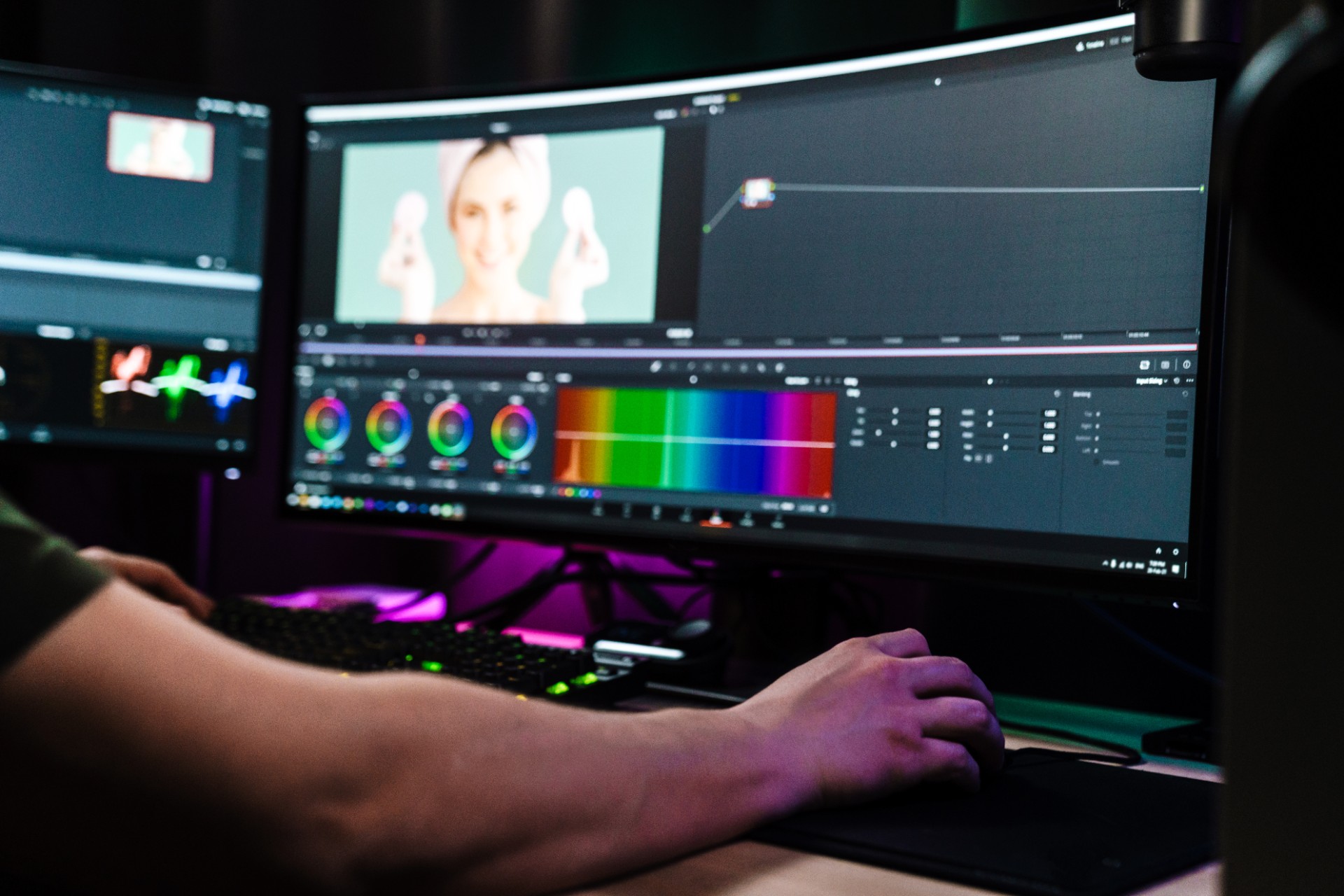
Every major podcast video show that has built a strong visual identity has, whether deliberately or instinctively, developed a consistent color treatment that runs through every episode and makes the show immediately recognizable from the first frame. The warm, slightly desaturated tones of one show. The cool, high-contrast look of another. The vibrant, saturated character of a third. Each of these color treatments is not simply a technical adjustment to the footage. It is a brand communication that signals the show's character, its production values, and its emotional register to every viewer who encounters it.
Color grading as a brand-building tool is one of the most powerful and most underutilized capabilities available to podcast video creators. Unlike graphic design elements that are visible only when they appear on screen, the color grade is present in every frame of every episode, continuously communicating the show's visual identity without requiring any active attention from the viewer. The viewer does not think "this show uses a warm color grade." They think "this show feels warm and intimate." The color grade is doing emotional work at a subconscious level that no other production element can replicate with the same ubiquity.
But color grading for brand building is different from color grading for technical correction, and most podcast video editors are more comfortable with the latter than the former. Technical correction aims to make the footage look accurate and natural. Brand-building grading aims to make the footage look intentional, specific, and consistent with a particular emotional identity. Both are necessary, but the sequence matters: technical correction first, then brand grade applied on top of the technically corrected foundation.
This guide covers the complete framework for using color grading as a brand-building tool: the principles that connect color characteristics to emotional associations, the specific grading decisions that create a recognizable visual identity, the technical workflow for implementing the grade consistently across every episode, and the practical approach to developing a color brand that is appropriate for the specific show's identity.
Why Color Grading Matters for Podcast Brand Building
The Emotional Communication of Color
Color communicates emotional states to the human visual system through associations that are both culturally learned and biologically grounded. These associations are not absolute or universal, but they are consistent enough within specific cultural and media contexts to be predictable and deliberately applicable.
Warm color temperatures, where the image has a slight orange or golden tint, create associations of intimacy, approachability, and comfort. The warmth of firelight, sunsets, and domestic environments is the reference that warm color grades draw from, which is why they feel inviting and personal. For podcast shows whose identity is built on intimate conversation, genuine personal exchange, and warmth of connection between host and audience, a warm color grade reinforces these identity characteristics at a visual level.
Cool color temperatures, where the image has a slight blue or teal tint, create associations of precision, authority, clarity, and professionalism. The cool quality of clear daylight, clinical environments, and high-technology contexts is the reference that cool grades draw from. For shows whose identity is built on analytical rigor, professional authority, and intellectual precision, a cool color grade reinforces these identity characteristics.
Contrast and saturation also carry consistent emotional associations. High-contrast grades with deep blacks and bright highlights create a sense of drama, urgency, and visual impact. Lower-contrast grades with lifted shadows and compressed highlights create a softer, more intimate, less confrontational visual experience. High-saturation grades create vibrancy, energy, and visual excitement. Desaturated grades create a more sophisticated, restrained, and considered visual character.
The Recognition Value of Consistent Color Treatment
The recognition value that consistent color grading creates develops through repetition. A viewer who has watched ten episodes of a show with a consistent color grade develops an unconscious expectation of that visual character that is activated when they encounter any new content from the show.
This recognition trigger operates even in contexts where the viewer has not yet identified the content as being from the specific show. A clip shared on social media from a show with a strong color brand is recognized as belonging to that show by regular viewers before they have read the caption or heard any audio. The color alone carries enough brand information to trigger recognition, which is the definition of effective visual branding.
Building this recognition through color requires the grade to be genuinely consistent: present in every episode, consistent in its character from episode to episode, and distinctive enough to be recognizable rather than generic enough to blend with the general visual character of ungraded footage.
The Technical Foundation: Primary Correction Before Brand Grading
Before any brand-oriented color grading is applied, the raw footage must be technically corrected to a neutral, accurate baseline. Applying a brand grade to technically uncorrected footage compounds the corrections and the creative adjustments into a single pass that is more difficult to control and less consistent in its results than a two-pass approach.
White Balance Correction
The first technical correction is white balance: adjusting the color temperature of each clip to produce accurate, natural skin tones and a neutral representation of colors that should appear neutral. Incorrect white balance creates color casts that make the footage look either too warm or too cool relative to the actual recording conditions, and these casts must be corrected before any brand-oriented color decisions are applied.
White balance correction in professional color grading is performed by identifying a reference point in the image that should be neutral white or neutral gray and adjusting the color temperature and tint until that reference point is rendered without any color cast. In DaVinci Resolve, the Color Wheels in the Color page provide the primary and secondary controls for white balance adjustment. In Adobe Premiere Pro, the White Balance selector in the Lumetri Color panel provides an auto white balance correction from a sampled neutral point.
Exposure and Contrast Correction
After white balance, exposure and contrast correction adjusts the overall brightness of the image to a standard viewing level and sets the contrast relationship between the shadows and highlights. The goal of primary exposure and contrast correction is not to achieve the final look of the image but to place all tonal values within the range that allows the brand grade to be applied consistently.
A correctly exposed and contrast-corrected clip has visible detail in the darkest areas of the image that should contain detail, accurate mid-tones with natural skin tone rendering, and no blown-out highlights in areas that should retain detail. This neutral, technically accurate baseline is the foundation on which the brand grade is built.
Camera Matching Across Multiple Angles
For multi-camera podcast recordings, primary correction must also address the matching of different camera angles to each other. Cuts between cameras that have different color characters, different white balance settings, or different exposure levels create visual inconsistencies that disrupt the viewer's immersion in the content and that make the application of a consistent brand grade more difficult.
Camera matching is achieved by identifying a reference clip, typically the main host camera, and adjusting all other camera angles to match its corrected character. The matching process uses the vectorscope and waveform displays in the color grading application to compare the color and tonal values of each clip against the reference and to make the adjustments that bring them into alignment.
For podcast creators in Mumbai who want professional primary correction and camera matching applied consistently to their multi-camera recordings as part of a comprehensive editing service, Fox Talkx Studio provides expert color grading that delivers visual consistency across every camera angle in every episode. Explore professional podcast editing and color grading services at https://www.foxtalkxstudio.com/services/podcast-editing-in-mumbai.
Developing the Brand Grade: The Creative Process
With technically corrected footage as the foundation, the brand grade applies the specific color characteristics that define the show's visual identity.
Defining the Brand Grade's Character
Before touching any grading controls, the first step in developing a brand grade is defining the specific visual and emotional character the grade should create. This definition should emerge from the show's brand standards document and from the show's overall identity.
A show whose identity is intimate, warm, and personal should have a grade that is slightly warm in color temperature, with lifted shadows that prevent any harsh, dark areas, with soft contrast that creates a gentle tonal range, and with slightly muted saturation that feels natural rather than artificial. Each of these specific characteristics serves the intimate and warm identity the show is projecting.
A show whose identity is authoritative, precise, and intellectually rigorous should have a grade that is slightly cool in color temperature, with well-defined blacks that create clear tonal separation, with higher contrast that creates visual impact and clarity, and with natural to slightly muted saturation that feels professional rather than decorative.
Writing down the specific visual and emotional characteristics the brand grade should have before beginning the grading process creates a brief that guides every grading decision and provides the evaluative standard for assessing whether the finished grade achieves its intended effect.
The Specific Grading Parameters That Create Brand Character
Color temperature adjustment is the most powerful single grading control for brand character development. Moving the image toward warmer tones through adjustments to the shadows and mid-tones lifts the warmth of the image in the tonal ranges where warmth is most emotionally impactful, because the shadow and mid-tone areas of the image are where most of the visual content resides during normal podcast recording.
In DaVinci Resolve, the Color Wheels in the Color page provide independent control of the Lift, Gamma, and Gain areas of the tonal range, which correspond approximately to shadows, mid-tones, and highlights. Moving the Gamma wheel toward warmer colors adds warmth to the mid-tones. Moving the Lift wheel slightly toward warmer colors lifts the shadow warmth. Together these adjustments create the warm character that serves intimate and personal show identities.
Contrast adjustment controls the tonal range of the image from the deepest blacks to the brightest highlights. Increasing contrast by deepening the blacks and brightening the highlights creates a more dramatic, visually impactful image. Decreasing contrast by lifting the blacks and compressing the highlights creates a softer, flatter, more intimate image. The contrast character of the brand grade should reflect the emotional character the show is aiming for.
In DaVinci Resolve, the Custom Curves in the Color page provide the most precise control over contrast, allowing the specific tonal relationships within the image to be shaped with fine control. A gentle S-curve that deepens the lower mid-tones while brightening the upper mid-tones and highlights creates a natural-feeling contrast increase. Lifting the left end of the curve off the absolute black point creates the lifted shadows that contribute to a softer, more intimate character.
Saturation adjustment controls the intensity of the colors in the image. Higher saturation creates a more vivid, energetic visual character. Lower saturation creates a more restrained, sophisticated character. For most podcast video brand grades, a slight reduction in saturation from the natural level creates a more considered, less casual visual impression, while a slight increase creates a more dynamic, energetic impression.
Skin Tone Protection in Brand Grading
The most important quality constraint in podcast video color grading is the protection of natural, accurate skin tones. The human visual system is extremely sensitive to skin tone accuracy and immediately perceives skin tones that have been shifted by color grading away from their natural appearance.
A brand grade that creates the desired overall image character but that makes the host and guests' skin tones appear unnaturally warm, cool, or otherwise distorted has failed its primary quality test regardless of how effectively it creates the intended brand character in other aspects of the image.
Most professional color grading applications provide secondary color qualification tools that allow specific colors in the image to be isolated and protected or adjusted independently from the rest of the image. In DaVinci Resolve, the Qualifier tool allows skin tones to be isolated as a selection that can be excluded from the primary color adjustments, ensuring that the overall image color treatment does not distort the skin tone rendering.
Using these secondary qualification tools to protect skin tones while applying the brand grade to the surrounding image elements allows the grade to create its intended character in the backgrounds, clothing, and environmental elements without affecting the critical skin tone rendering.
Creating and Saving the LUT
A Look Up Table, abbreviated as LUT, is a mathematical transformation that maps the input color values of footage to specific output color values, effectively encoding the complete color grade as a file that can be applied to new footage instantly rather than requiring manual recreation of the grade settings.
Why LUTs Are Essential for Brand Grade Consistency
A LUT is the most reliable mechanism for maintaining brand grade consistency across every episode and across every team member who works on the show's color. Once the brand grade has been developed and approved, saving it as a LUT allows any editor or colorist to apply exactly the same grade to new footage with a single click, producing results that are mathematically identical to the original grade rather than visually approximated from memory or description.
Without a LUT, maintaining grade consistency across many episodes depends on the colorist's memory of the specific settings used in previous episodes, which introduces variability that accumulates into visible inconsistency over time. With a LUT, the grade is a file that carries the exact mathematical transformation regardless of who applies it or when.
Creating a LUT From the Brand Grade
After developing and approving the brand grade in a color grading application, the grade is exported as a LUT file in a format compatible with the editing applications used in the production workflow. DaVinci Resolve can export grades as .cube LUT files through the Generate 3D LUT option in the Color page. Adobe Premiere Pro's Lumetri Color panel can export grades as .cube or .look LUT files through its export function.
The exported LUT should be tested on several different types of footage from the show, including shots with different lighting conditions, different subjects, and different background environments, to confirm that it produces consistent, appropriate results across the range of footage it will be applied to. A LUT that works correctly on the main host shot but produces undesirable results on the wide shot or on guest footage with different lighting conditions needs to be adjusted before it is adopted as the show's standard grade.
Organizing and Protecting the Brand LUT
The approved brand LUT should be stored in a secure, backed-up location that is accessible to every team member who will apply it to new episodes. It should be named clearly to distinguish it from any other LUTs used in the production workflow and from any previous versions of the brand grade that may have been developed and superseded.
The LUT should be stored alongside the show's other brand assets in the brand standards folder or dashboard, with clear documentation of which version is current, when it was created, and what specific grade character it represents.
Applying the Brand Grade Consistently Across Episodes
With the brand LUT saved and distributed, the workflow for applying it consistently to every episode is straightforward but requires specific discipline to maintain.
The Two-Node Approach in DaVinci Resolve
In DaVinci Resolve, the recommended approach for applying a brand grade while maintaining the flexibility to adjust for individual episode variations is to use a two-node structure in the Color page. The first node applies the technical primary correction that addresses the specific characteristics of each clip. The second node applies the brand LUT that transforms the corrected footage to the show's visual identity.
This two-node structure separates the technical correction from the brand grade, which allows the primary correction to be adjusted for each clip's specific characteristics without affecting the brand grade, and allows the brand grade to be updated across all clips simultaneously by changing the LUT in the second node.
The Adjustment Layer Approach in Adobe Premiere Pro
In Adobe Premiere Pro, the recommended approach for applying a brand grade consistently across an episode is to create an adjustment layer above all video tracks in the timeline and apply the brand LUT to the adjustment layer using the Lumetri Color effect's Creative section.
The adjustment layer applies the LUT to all footage beneath it simultaneously, ensuring that the brand grade is applied consistently to every clip in the episode without requiring the LUT to be individually applied to each clip. Individual clips that require specific primary correction adjustments can be corrected through the Lumetri Color effect applied directly to the clip, which applies below the adjustment layer's LUT in the processing chain.
Quality Checking the Grade Application
After applying the brand grade to a new episode, a quality check that compares the graded episode against a reference episode from the show confirms that the grade has been applied correctly and produces a consistent result.
This comparison should be performed in the color grading application's split-screen or side-by-side viewer mode, which allows direct visual comparison of corresponding frames from the new episode and the reference episode. Any visible difference in the color character, contrast, or saturation between the two episodes indicates that the grade has been applied differently in the new episode and requires investigation.
For podcast creators in Mumbai who want their brand grade applied consistently by a professional color grading team as part of a comprehensive post-production service, Fox Talkx Studio provides expert color grading that maintains the show's visual identity consistently across every episode. Discover what professional podcast editing and color grading looks like at https://www.foxtalkxstudio.com/services/podcast-editing-in-mumbai.
Evolving the Brand Grade Over Time
When to Refresh the Color Brand
A color grade that was appropriate for the show's visual identity at launch may become less appropriate as the show evolves. A quality upgrade in the recording equipment or the studio environment may make the original grade less necessary or less suitable. A strategic repositioning of the show may make a different color character more appropriate for the new brand identity. Or a general evolution in the visual language of the media landscape may make the original grade look dated relative to current production standards.
These circumstances justify a deliberate refresh of the brand grade rather than continuing to apply an outdated grade. The refresh should be approached with the same deliberateness as the original grade development: starting from a clear articulation of the visual and emotional character the new grade should create, developing and testing the grade on representative footage, saving it as a new LUT with a clearly distinguished name, and implementing it from a specific episode forward.
Maintaining Archive Consistency Through Grade Evolution
When the brand grade is updated, the question of what to do with the episode archive arises. Should previous episodes be re-graded with the new grade, or should the archive retain the original grade that was applied when those episodes were produced?
For most podcast shows, leaving the archive with its original grade while implementing the new grade from a specific episode forward is the most practical approach. The archive's original grade is part of the historical record of the show's visual evolution, and retroactively regrading every previous episode requires significant production investment that is rarely justified by the visual improvement it would create in the older content.
The point where the grade changes should be noted in the show bible as a visual evolution milestone, with documentation of what changed and why, so that the archive's visual inconsistency is understood as intentional evolution rather than accidental inconsistency by anyone who encounters the change point in the archive.
Key Takeaways
Color grading as a brand-building tool works by creating a specific, consistent color character that communicates the show's emotional identity to viewers at a subconscious level through every frame of every episode. The warmth or coolness of the color temperature, the depth or softness of the contrast, and the richness or restraint of the saturation each contribute to the emotional associations that the grade builds in the viewer's experience.
The technical workflow for brand grade development begins with primary correction to a neutral, accurate baseline, followed by camera matching for multi-camera recordings, followed by the development and testing of the brand grade, followed by its export as a LUT that can be applied consistently to all future episodes.
The LUT is the mechanism that makes brand grade consistency reliable and scalable: once the grade is encoded as a LUT, any editor or colorist can apply it to new footage with a single click, producing mathematically identical results regardless of who applies it or when.
Brand grade evolution should be managed deliberately, with a clear articulation of what is changing and why, implementation from a specific episode forward, and documentation in the show bible as a visual evolution milestone.
For podcast creators and production teams in Mumbai who want professional color grading that builds and maintains a recognizable visual brand across every episode, Fox Talkx Studio provides the color grading expertise and consistency management that makes every episode an extension of the show's visual identity. Visit https://www.foxtalkxstudio.com/services/podcast-editing-in-mumbai to explore what professional podcast video color grading looks like for your show.